

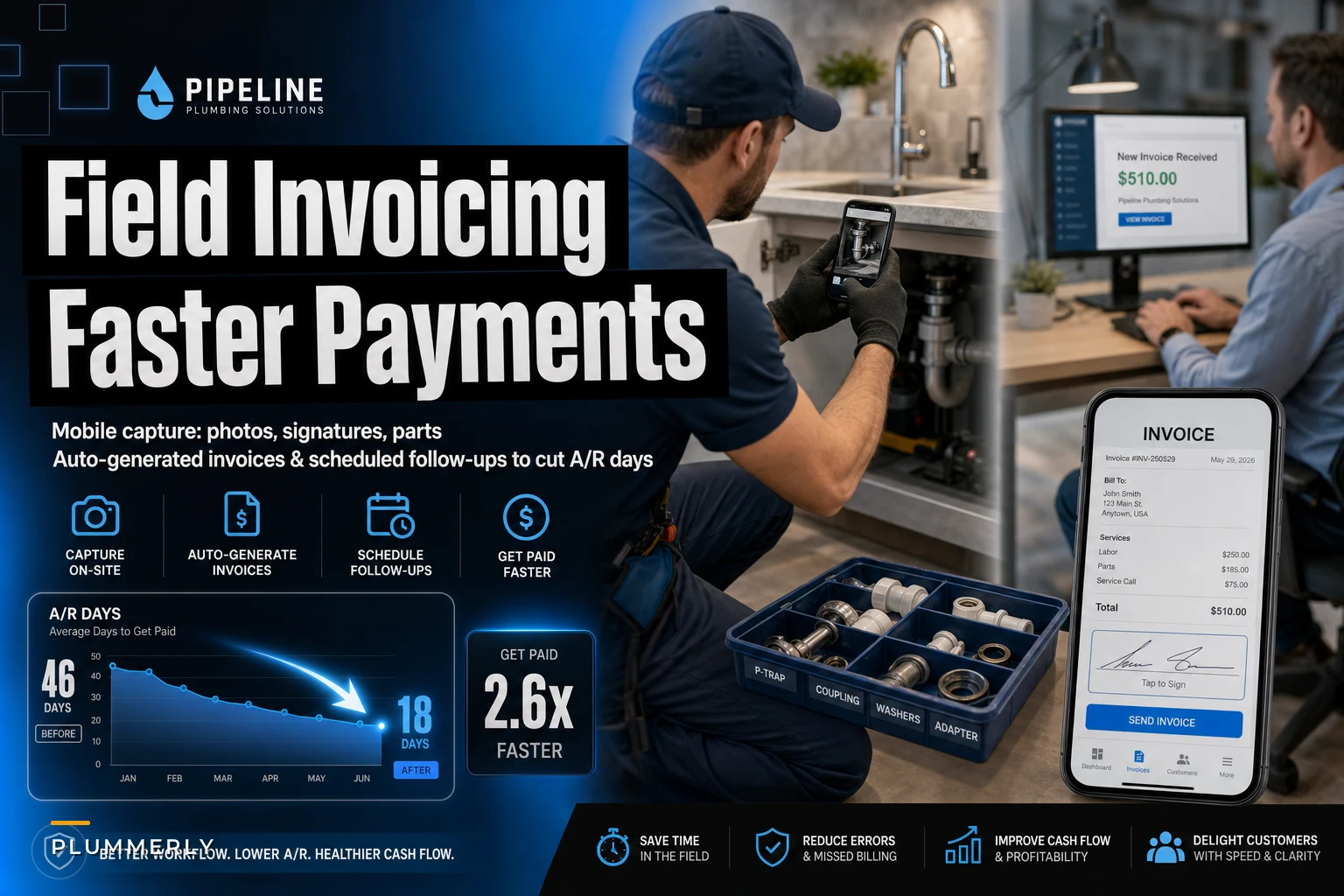

Most plumbing shops don't have a payment problem. They have a handoff problem. The tech finishes a water heater swap at 2:40, drives to the next call, and the invoice for that job doesn't get built until the owner sits down at 8 that night — if it happens at all. By then nobody remembers whether the customer approved the extra shutoff valve, the parts on the ticket are guesswork, and there's no photo of the finished work. So the invoice goes out two days late, with a number the customer wasn't expecting, and now you're waiting three weeks for a check.
That's the real story behind high A/R days on single-visit residential work. The money isn't slow because customers are deadbeats. It's slow because the paperwork trail is broken between the truck and the office. This piece is about closing that specific gap — building a field to office invoicing plumbing workflow that captures everything at the curb, generates the invoice before the tech leaves the driveway, and follows up automatically so you're not chasing checks.
Where single-visit invoicing actually breaks
Single-visit jobs are deceptively hard to invoice cleanly. There's no project manager, no change-order paperwork, no back-and-forth over weeks. The whole transaction happens in 90 minutes, and every piece of billing information lives in one person's head — the tech's — for exactly as long as it takes them to forget it.
-
The tech quotes a price verbally, the customer nods, and nobody writes down what was agreed. Two days later the customer "doesn't remember" saying yes to the $180 expansion tank.
-
Parts get added on the fly. The tech grabs a second wax ring and a supply line off the truck but only logs the toilet itself. Now your job costing is wrong and your invoice is short.
-
No signature at completion. The customer was standing right there, but nobody had them sign off. When the invoice arrives by email later, there's suddenly "an issue with the drain still gurgling."
-
No completion photo. For a disputed job, you've got nothing. Even for a routine faucet swap, one photo kills 90% of disputes before they start.
The core issue: the information needed to bill correctly is most available at the exact moment the tech is least likely to record it — right after the job, when they're already thinking about the next call.
The real cost of a two-day capture lag
"Slow invoicing" sounds harmless until you see what it does to cash.
Stop missing service calls and double bookings.
Plummerly helps you schedule, assign, and manage every plumbing job efficiently.
- Centralized job scheduling
- Technician dispatch & tracking
- Customer notifications
No credit card required
Say a two-truck shop runs about 12 single-visit jobs a day, averaging roughly $340 a ticket. That's somewhere around $4,000 a day flowing through the trucks. Now assume invoices go out, on average, 2 days after the work — and because they're built from memory, about 1 in 6 has an error the customer questions (wrong part, price they don't recognize, missing line).
-
Every disputed invoice adds 8–14 days to collection while the back-and-forth plays out. On a shop doing $4k/day, even a handful of disputes a week keeps a meaningful chunk of revenue parked in A/R that shouldn't be there.
-
Some of it just leaks. When a tech forgets to log the extra parts and the owner doesn't catch it, that margin is gone. A couple of missed $25–$60 add-ons per truck per week quietly adds up to something in the low thousands a year.
The A/R days number is the symptom everyone watches. The disease is the capture gap. You can hire a collections person, buy nicer invoice templates, and your A/R will barely move — because you're treating the end of the process when the leak is at the front.
Required capture: the four things that must exist before the tech leaves
The fix starts with treating capture as a hard checkpoint, not a nice-to-have. On a single-visit job, four things have to be recorded on site, before the truck rolls. No exceptions. This is the part where discipline beats software — but it's also where the right setup makes discipline effortless.
The non-negotiable capture list:
-
Customer signature on the completed scope. Not a verbal yes. A signature (finger on a phone screen is fine) tied to the actual line items and price. This single step is the biggest lever on dispute reduction.
-
Parts used — logged as consumed, not estimated. Every valve, ring, connector, and length of pipe that came off the truck. This feeds both the invoice and your truck stock counts.
-
Before/after photos. At minimum
the problem before, the completed work after. Timestamped. Two clean photos should be mandatory on every job.
-
Any scope change, captured when it happens. If the tech opens the wall and finds corroded pipe, that add-on gets logged and re-approved on the spot — not remembered later.
Require the tech to capture parts and photos before generating the invoice to enforce the sequence.
The part most owners miss: the order matters. If you make the tech capture parts and photos before they can generate the invoice, and require the signature before they can mark the job complete, the sequence enforces itself. The workflow becomes the checklist. A tech who's trying to close out a job physically can't skip the steps.
Mobile invoice templates that don't fight the tech
Templates are where a lot of shops overbuild. They create a beautiful, detailed invoice format that looks great in the office and is completely unusable on a phone at a customer's kitchen table. The tech ends up texting the office "just bill it, I'll explain later" — and you're back to the memory problem.
-
Pre-fill everything it possibly can. Customer info from the dispatch record, job type, standard line items for that job category. The tech should be confirming an invoice, not building one from scratch.
-
Use flat-rate line items, not blank fields. If your pricing menu is already built, the tech taps "Toilet R&R — standard" and the price, description, and warranty language populate. This ties directly to having a governed price menu; if pricing is a free-for-all, no template will save you.
-
Show the total the customer already agreed to. The number on the signed scope and the number on the invoice must match. When they don't, that's your dispute.
A practical template structure for single-visit residential:
| Section | What it holds | Why it matters |
|---|---|---|
| Job header | Customer, address, tech, date/time | Auto-filled from dispatch; zero tech entry |
| Scope line items | Flat-rate tasks performed | Tapped from menu, not typed |
| Parts used | Consumed items with qty | Feeds invoice + inventory in one entry |
| Approved add-ons | Any on-site scope change | Re-signed if total changed |
| Photos | Before / after | Attached to the invoice record |
| Totals + payment | Amount, method, signature | Must match signed scope |
Build one clean template per common job type — water heater, toilet, faucet, drain clear, disposal, hose bibb — rather than one universal template the tech has to configure every time. Six good templates cover most residential single-visit volume, and each one gets the tech to a finished invoice in under two minutes.
Automation checkpoints: where the workflow moves without anyone touching it
This is where operational software earns its place — not by replacing judgment, but by moving the invoice through predictable stages so it never sits in someone's mental to-do pile. The goal is that the invoice generates and sends itself the moment the capture requirements are met, and follow-up runs on a schedule you set once.
Think of it as a series of gates. The job can't advance to the next stage until the current stage's requirements exist.
The automated workflow, stage by stage
-
Job marked in-progress → tech is on site, timer/record open.
-
Scope confirmed + signed → customer signs the agreed scope before work starts on anything with a price. Gate: no signature, job can't be closed.
-
Work completed → tech logs parts used and attaches before/after photos. Gate: invoice can't generate until both exist.
-
Invoice auto-generated → system builds the invoice from the confirmed scope, parts, and template. Tech reviews on the phone, collects payment or gets completion signature.
-
Invoice sent automatically → the moment the job is closed, the invoice emails/texts to the customer. No 8 p.m. batch. No two-day lag.
-
Payment status tracked → paid on site closes the loop; unpaid enters the follow-up cadence automatically.
The quiet win is step 5. When the invoice goes out at 2:45 instead of two days later, you've already cut a meaningful slice of A/R days without collecting a dollar faster — you've just stopped adding delay at the front.
One place automation should not run unattended: pricing changes and disputed amounts. If a tech overrides a flat-rate price or a customer contests a line, that should route to a human, not auto-send. Automate the predictable path; escalate the exceptions.
Here's a simple visual of that gated workflow.
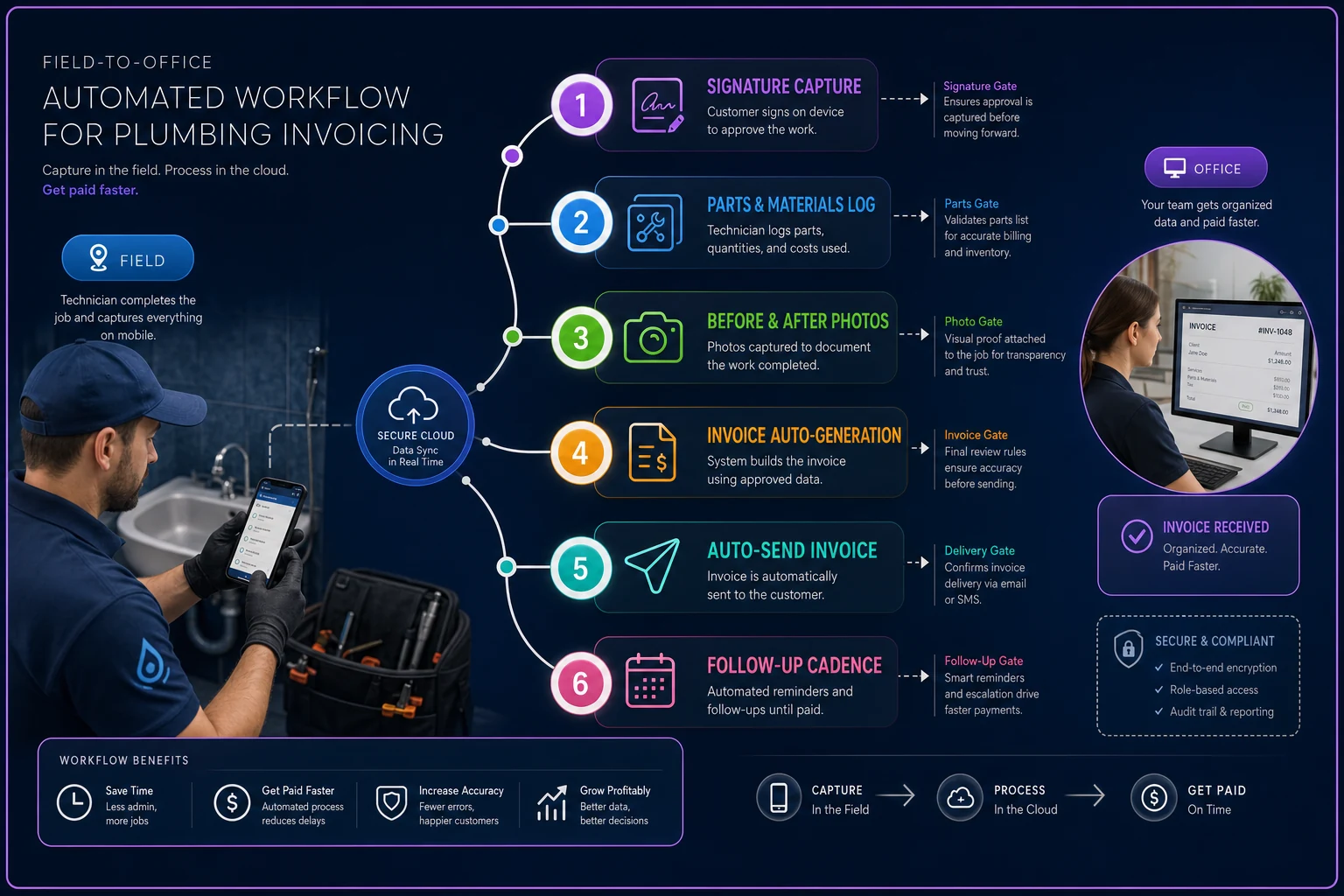
The visual maps the sequence from on-site capture through auto-send and into the follow-up cadence.
Follow-up cadence for the invoices that don't pay on site
Even with on-site invoicing, some jobs won't be paid at the curb — landlords, property managers, older customers who want to mail a check, commercial-adjacent work. For those, the follow-up cadence is what keeps A/R days down. And this is the part almost everyone does by feel, which means it doesn't happen consistently.
-
Day 0 (job close) Invoice sent automatically. Payment link included.
-
Day 3 Friendly reminder — "just confirming you received this." Text usually outperforms email here.
-
Day 7 Second reminder, slightly firmer, payment link again.
-
Day 14 Direct notice — balance is now two weeks out, please advise.
-
Day 21 Personal call from the office, not an automated message. By now a human needs to be involved.
The Day 3 nudge does most of the work. A large share of "slow" invoices aren't disputes — they're just forgotten. The customer meant to pay, the invoice slid down their inbox, and a single text three days out clears it. Automating that first reminder alone tends to pull average collection time down by several days because it catches the forgetters before they become the chasers.
A real scenario: two-truck shop, roughly 45 days A/R
A residential shop running two trucks was sitting at about 42–46 days average A/R on their single-visit work. Not catastrophic, but enough that the owner was floating payroll on a credit line more often than he liked. Volume was roughly 55–60 jobs a week.
When they dug in, the pattern was exactly the capture gap. Invoices were built at night from tech notes. About 1 in 5 had a question mark on it — wrong part logged, a price the customer didn't recall agreeing to, or a "wait, did we do the second sink or not?" And those questionable invoices were the ones sitting 30, 40, 50 days out.
-
Six flat-rate mobile templates for their most common jobs.
-
A hard rule
signature on scope before pricing work, photos and parts before the job could be closed.
-
Auto-send at job close instead of the nightly batch.
-
A three-touch automated reminder cadence for anything unpaid.
By the end of the following quarter, A/R was running in the high 20s to low 30s in days — roughly a two-week improvement. The bigger surprise was disputes: the questionable-invoice rate dropped off sharply, because the signature and the matching invoice total simply removed the argument. The owner stopped drawing on the credit line most months. Nothing about their pricing or their volume changed — just the workflow between the truck and the office.
When this level of workflow makes sense — and when it doesn't
This isn't free to set up, and it's worth being honest about who actually needs it.
When it's worth building:
-
You run more than one tech, or you're the owner-operator drowning in nightly invoicing.
-
Your A/R days are creeping past 30 on work that should mostly pay same-day.
-
You're seeing recurring disputes that stall collection.
-
You already have a flat-rate price menu to build templates from.
When it's probably overkill:
-
You're a solo plumber doing 3–4 jobs a day and collecting cash or card on site every time. If your A/R is already near zero, the automation gains are small — focus your energy elsewhere.
-
Your work is mostly large multi-visit projects. That's a different billing animal — progress billing, retainage, change orders — and single-visit templates won't fit it.
Who should not do this yet: if your pricing is still inconsistent tech-to-tech, fix that first. Templates built on chaotic pricing just automate the chaos. Get the price menu governed, then build the invoicing workflow on top of it.
Putting it together
The reason single-visit plumbing invoices sit in A/R isn't collections effort — it's that the billing information gets separated from the moment it was true. The tech knew exactly what was done, what parts came off the truck, and what the customer agreed to at 2:40 in the driveway.
Fix the capture, and the rest gets easier. Signature and photos and parts logged on site, an invoice that builds itself from a clean template, auto-send at job close, and a follow-up cadence that runs without anyone remembering to run it. Do that and your A/R days fall not because you're chasing harder, but because you stopped introducing delay and doubt at the source. The office stops being a bottleneck, and the money that's already yours actually shows up when it should.
Fix the capture, and the rest gets easier. Signature and photos and parts logged on site, an invoice that builds itself from a clean template, auto-send at job close, and a follow-up cadence that runs without anyone remembering to run it. Do that and your A/R days fall not because you're chasing harder, but because you stopped introducing delay and doubt at the source. The office stops being a bottleneck, and the money that's already yours actually shows up when it should.
Ready to optimize your plumbing operations?
Join 500+ plumbing businesses using Plummerly to save time, reduce scheduling errors, and improve customer satisfaction.