

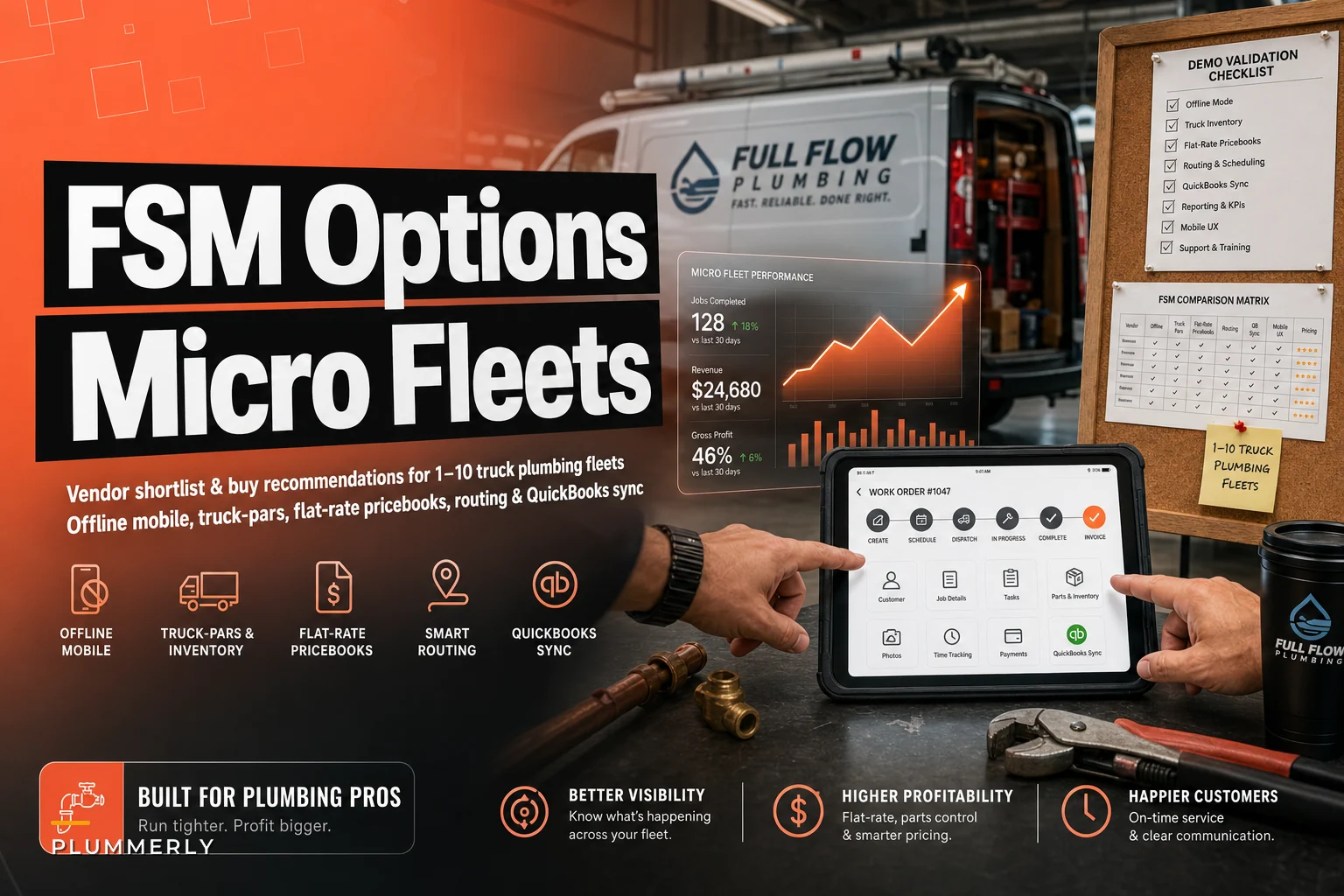

Most software roundups for plumbing are useless because they rank products by checkmark counts. A vendor "supports inventory," so it gets a green dot. Nobody tells you the inventory module can't handle a truck-level par count, or that the "offline mode" quietly drops photos when a tech loses signal in a crawlspace.
This list is narrower on purpose. Four vendors, matched to the reality of running 1–10 trucks. For each one you get the specific product or tier to actually buy, a rough monthly price for a 3–5 tech / 3-truck baseline, realistic setup time, and the one tradeoff that bites plumbing operators specifically. Then a demo checklist with explicit tests, negotiation notes, and follow-up questions that catch vendors overselling.
If you haven't locked down your stocking logic yet, do that first. The truck parts par-level matrix work is what your software has to mirror — not the other way around. Picking an FSM before you know your pars means you'll bend your inventory process to fit whatever the software does by default, which is backwards.
How to read the price and timeline estimates here
The monthly ranges below assume a working baseline: 3–5 technicians, 3 trucks, QuickBooks Online, flat-rate pricing, and a dispatcher (often the owner's spouse) running the office. These are blended estimates covering base seat costs plus the modules you'll realistically need — not the sticker price on the pricing page, because the sticker price never includes the add-ons that make the software usable for plumbing.
Implementation time assumes you're doing most of the data entry yourself and running a real pilot, not just signing up and poking around. "Days" means you could be live in a week of focused evenings. "Weeks" means you need to block real time or pay for onboarding help.
The Four
This list is narrower on purpose. Four vendors, matched to the reality of running 1–10 trucks. For each one you get the specific product or tier to actually buy, a rough monthly price for a 3–5 tech / 3-truck baseline, realistic setup time, and the one tradeoff that bites plumbing operators specifically. Then a demo checklist with explicit tests, negotiation notes, and follow-up questions that catch vendors overselling.
Stop missing service calls and double bookings.
Plummerly helps you schedule, assign, and manage every plumbing job efficiently.
- Centralized job scheduling
- Technician dispatch & tracking
- Customer notifications
No credit card required
| Vendor | Product/Tier to Buy | Est. Monthly (3–5 techs) | Implementation | The One Tradeoff |
|---|---|---|---|---|
| FieldPulse | Standard plan + Inventory add-on | ~$200–$350 | 1–2 weeks | Routing is basic; built for simplicity, not optimization |
| Housecall Pro | Essentials or MAX + price book | ~$250–$450 | Days to 1 week | Inventory/par tracking is weak; strong on sales & booking |
| ServiceTitan (Starter) | Starter tier | ~$400–$700+ | 4–8 weeks | Overbuilt and pricey for <5 trucks; real onboarding cost |
| Commusoft | Go or Plus + parts module | ~$250–$450 | 2–4 weeks | UK-rooted; QBO sync and US flat-rate feel less native |
If you haven't locked down your stocking logic yet, do that first. The truck parts par-level matrix work is what your software has to mirror — not the other way around. Picking an FSM before you know your pars means you'll bend your inventory process to fit whatever the software does by default, which is backwards.
1. FieldPulse — the default for a 3-truck shop that counts parts
What to buy: Standard plan plus the inventory/stock tracking add-on. Don't bother with the lowest tier — it strips out the parts features you need.
Why it fits: FieldPulse is one of the few affordable platforms where truck-level inventory isn't an afterthought. You can set stock locations per truck, assign par levels, and deduct parts as they get consumed on a job. For a plumbing shop that lives or dies on whether the right fitting is on the van, that matters more than a pretty dispatch board.
The tradeoff: Routing is deliberately simple. It'll show you jobs on a map and let you drag appointments around, but it won't optimize a multi-stop day the way a dedicated routing engine does. For 3 trucks in a tight service area that's usually fine — you're clustering by zone anyway. For 8+ trucks across a sprawling metro, you'll feel the ceiling.
A 4-tech shop switched to FieldPulse mostly to stop losing track of what left the warehouse. Within a couple months their shrinkage on common fittings dropped noticeably once consumption was tied to jobs instead of guessed at during a monthly count. The setup pain was front-loaded — getting the parts catalog clean took the longest.
2. Housecall Pro — if booking and sales matter more than parts
What to buy: Essentials at minimum; MAX if you want the pricebook flexibility and better reporting. Add the flat-rate price book feature.
Why it fits: Housecall Pro is the smoothest experience for the office side — online booking, automated customer texts, follow-up campaigns, and a flat-rate price book techs can present on a tablet to upsell. If your growth lever is more residential service calls and better close rates, this is the one that gets techs selling without turning them into salespeople.
The tradeoff: Inventory and truck par tracking is the weak spot. You can track materials loosely, but it's not built for serious per-truck par reconciliation. Shops that care about warehouse-to-van stock discipline usually end up running par counts in a separate sheet, which defeats part of the point of centralizing.
If controlling parts cost and stopping truck shrinkage is your number one problem, this isn't your platform. If converting more diagnostic visits into repairs is the problem, it's hard to beat.
3. ServiceTitan (Starter) — powerful, but know what you're signing up for
What to buy: The Starter tier, explicitly. Don't let a rep push you into the full enterprise package at 3 trucks.
Why it fits: When it's dialed in, ServiceTitan handles everything — flat-rate pricebook, inventory, routing, reporting, memberships. If you genuinely plan to go from 3 trucks to 15 in two years, buying into the ecosystem early can save a painful migration later.
The tradeoff: It's heavy. Implementation is weeks, not days, and the real cost isn't just the monthly fee — it's the owner hours spent configuring and the learning curve for techs who just want to close a ticket. At under 5 trucks, a lot of shops pay for capability they never switch on. The pricing is also notoriously flexible (read: squishy), so the range above is intentionally wide.
It actually makes sense when you're already past 5 trucks, growth is aggressive and funded, and someone in the office can own the system almost part-time for the first couple months. At 2–3 trucks wanting to be live next week, you'll drown.
4. Commusoft — solid job and parts workflow, but watch the QBO fit
What to buy: The Go or Plus tier with the parts/stock module enabled.
Why it fits: Commusoft has genuinely good job management and parts tracking, with solid workflow around recurring work and service plans. For shops doing a lot of planned maintenance alongside break-fix, the structure is a real strength.
The tradeoff: Its roots are in the UK market. The QuickBooks Online two-way sync and US-style flat-rate pricebook workflows can feel less native than FieldPulse or Housecall Pro. Test the accounting sync hard during the demo — this is exactly where "it integrates with QuickBooks" needs to be verified line by line, not taken on faith.
The vendor demo checklist (make them prove it)
Don't let a rep drive the demo. Hand them this list and make them run each test live, on the actual product, with data that looks like yours. If they say "that's on the roadmap" or "we can set that up after you sign," treat it as a no.
Here's the order to run the tests — go in this sequence because each one builds on the last and you'll catch gaps faster:
-
Start with the par workflow to establish whether truck-level inventory is real.
-
Then hit offline mode, since that's where most demos fall apart.
-
Pricebook next — fast to test and immediately reveals admin friction.
-
QuickBooks sync after, because it needs live invoice data to test properly.
-
Finish with routing, which is the least likely to surprise you but still worth confirming.
-
- [ ] Truck par workflow Set a par level for a specific fitting on Truck 2. Consume it on a job. Show the stock drop and the restock prompt. Can a tech see "below par" on their phone?
-
- [ ] Offline consumption + reconcile Put the tablet in airplane mode. Add parts to a job, take three photos, mark the job complete. Reconnect. Did everything sync — including the photos — without manual re-entry?
-
- [ ] Flat-rate pricebook update Change the price on one service line in the pricebook. How many clicks? Does it propagate to all techs immediately, and can you version or schedule the change?
-
- [ ] QuickBooks two-way sync Create an invoice in the FSM, push it to QBO, then edit the customer in QBO. Does it flow back? Where do mismatched records go? Ask to see the error log.
-
- [ ] GPS/routing Show live tech location. Build a 5-stop day for one tech and reorder it. Does drive time actually change, or is it just pins on a map?
Run every one of these. The gap between "supported" and "usable" almost always shows up in the offline and QuickBooks tests.
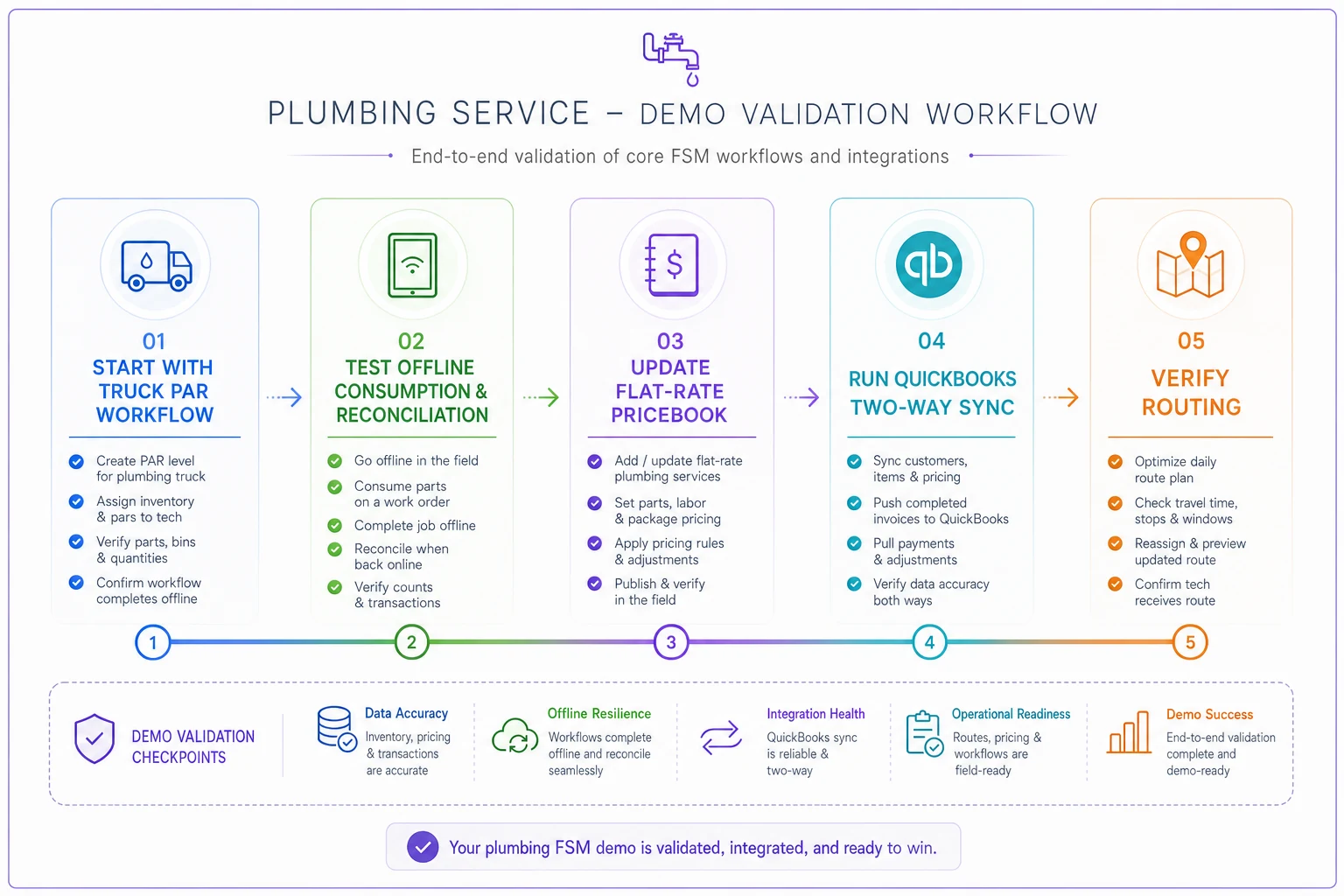
Use this visual during a live demo to keep the sequence on track.
Follow-up questions that catch overselling
After the demo, before you sign, send these in writing so you have a paper trail:
-
What specifically does the offline mode not capture or sync? (There's always something.)
-
Is the QuickBooks sync real-time, scheduled, or manual? How are sync conflicts resolved?
-
Are pricebook updates instant across all devices, or do techs need to refresh or reinstall?
-
What's the per-truck or per-tech cost when I add my 4th and 5th tech? Get the next-tier price now.
-
What are the contract terms — month-to-month, annual, and the early-exit clause?
-
Who owns my data if I leave, and in what format can I export it?
Who owns my data if I leave, and in what format can I export it?
A few negotiation notes
Pricing on these platforms is more flexible than the website suggests, especially mid-quarter when reps are chasing numbers.
-
Ask for onboarding to be bundled or waived. Onboarding fees ranging from a few hundred to a couple thousand dollars are routinely discounted or thrown in.
-
Negotiate the per-seat price, not just the plan. You'll add techs. Lock the per-seat rate for the term.
-
Pilot before annual. Push for a month-to-month start or a 60-day out. A yearly contract signed before a real pilot is how shops get stuck on software that doesn't fit.
-
Get the add-on list in writing. The quoted price rarely includes the inventory or pricebook module you actually need. Make them itemize.
Get the add-on list in writing. The quoted price rarely includes the inventory or pricebook module you actually need. Make them itemize.
When to buy: the threshold checklist for 1–10 truck shops
You don't need a full FSM the day you buy your first van. Buy when three or more of these are true:
-
- [ ] You're missing or double-booking appointments because scheduling lives in a notebook or a shared calendar.
-
- [ ] Techs are calling the office to ask what a job should cost — your flat-rate pricing isn't in their hands.
-
- [ ] You can't tell what parts are on which truck without physically walking out to count.
-
- [ ] Invoices lag days behind the completed job and your A/R is creeping up.
-
- [ ] You're re-keying job data into QuickBooks by hand.
-
- [ ] You've got 3+ techs and the owner is still the only person who knows the full schedule.
One or two of these? A solid spreadsheet and a cheap scheduling tool probably still cover you. Three or more, and the manual coordination is costing you more in missed revenue and rework than the software would.
The right pick comes down to your biggest bleed. Parts and truck stock — FieldPulse. Booking and conversion — Housecall Pro. Scaling fast and can absorb a heavy rollout — ServiceTitan Starter. Planned maintenance is your bread and butter — Commusoft, with the QuickBooks sync tested hard before you commit.
Whatever you choose, the software should fit the stocking and pricing logic you've already built, not replace your thinking. Get your par-level matrix solid first, then make every vendor prove their product can mirror it live during the demo. Shops that regret their FSM almost always skipped that step and bought on a feature list instead of a working test.
Ready to optimize your plumbing operations?
Join 500+ plumbing businesses using Plummerly to save time, reduce scheduling errors, and improve customer satisfaction.