

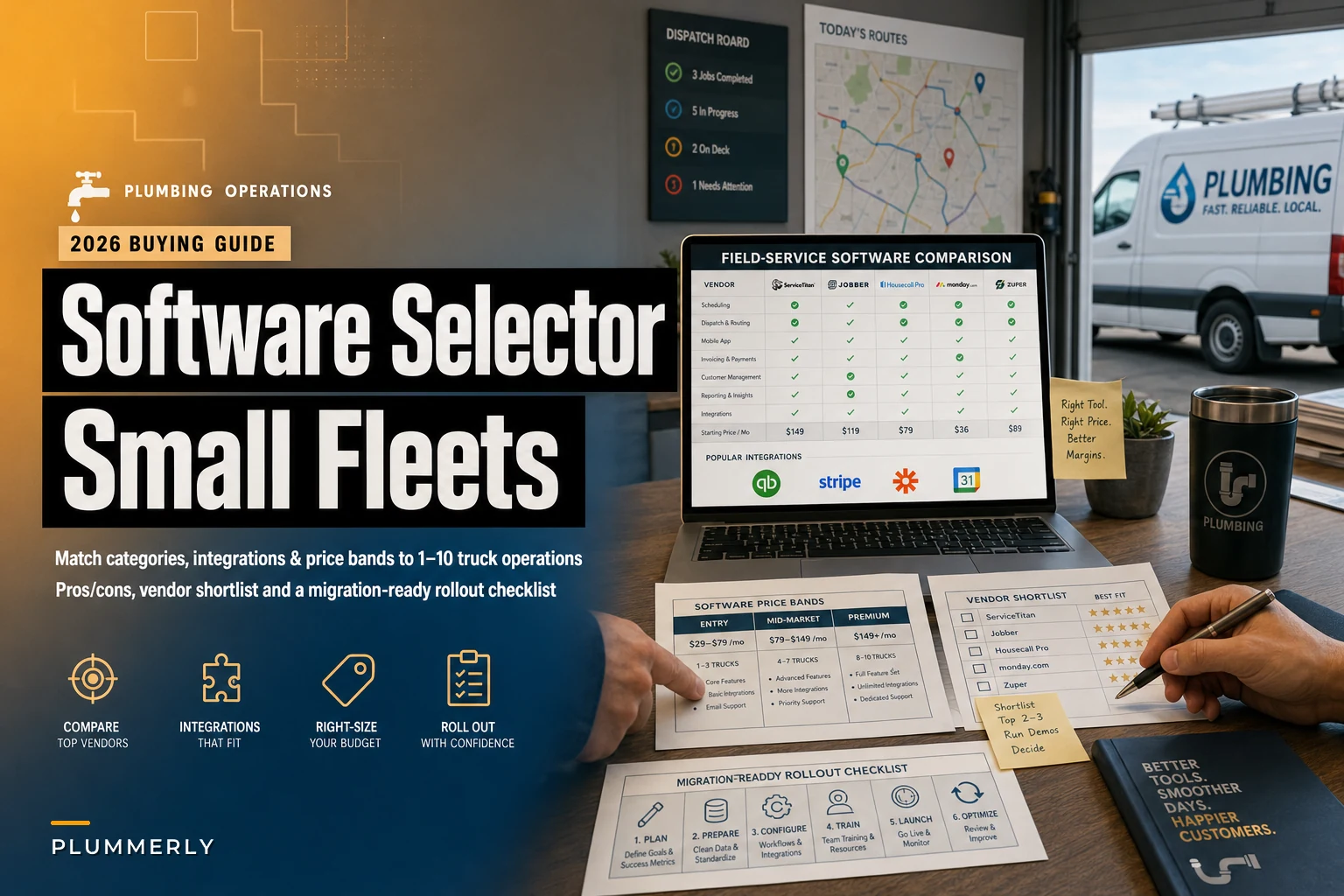

Most plumbing owners don't buy software wrong because they pick a bad product. They buy wrong because they pick the wrong category for where their business actually is. A solo plumber signs up for an all-in-one platform with a dispatch board he'll never use. A five-truck shop tries to run everything through a glorified CRM and ends up re-keying invoices into QuickBooks by hand every Friday night.
This guide is organized around the actual decision you're facing: which combination of tools fits a fleet your size, and what does it realistically cost? No fluff. Just the categories, the price ranges, the integrations that break when you ignore them, and which setup makes sense at each stage.
The six software categories that matter (and what each one actually does)
Before comparing products, you need to understand that "field service software for small plumbing fleets" isn't one thing. It's up to six overlapping categories, and vendors blur the lines constantly to look more complete than they are.
Here's the honest breakdown:
| Category | What it handles | Typical monthly cost | Who it's really for |
|---|---|---|---|
| All-in-one FSM | Scheduling, dispatch, CRM, invoicing, mobile app, often inventory | ~$50–$120 per user | 2–10 trucks that want one system |
| Dispatch-only / scheduling | Job board, tech assignment, calendar | ~$25–$60 per user | Shops with existing accounting + CRM they like |
| CRM (service-focused) | Customer records, history, follow-ups, marketing | ~$25–$80 flat or per seat | Owners prioritizing repeat business + reviews |
| Invoicing / payments | Estimates, invoices, card processing, financing | ~$0–$40 + 2.6–3.5% per transaction | Everyone — the only non-negotiable |
| Route optimization | Multi-stop routing, drive-time clustering | ~$10–$40 per vehicle | 4+ trucks with dense service areas |
| GPS / telematics | Vehicle tracking, idle time, maintenance alerts | ~$15–$35 per vehicle | Fleets worried about drive time, fuel, liability |
The mistake isn't picking one category. It's not knowing which categories your all-in-one secretly doesn't do well. Plenty of FSM platforms advertise "route optimization" that's really just plotting stops on a map in the order you entered them. That's not optimization — that's a pushpin board.
Category deep-dives: pros, cons, and where each one quietly fails
All-in-one FSM platforms
Stop missing service calls and double bookings.
Plummerly helps you schedule, assign, and manage every plumbing job efficiently.
- Centralized job scheduling
- Technician dispatch & tracking
- Customer notifications
No credit card required
This is what most owners picture when they think "plumbing software." One login handles the call, the schedule, the tech's mobile app, the invoice, and the payment.
Where it wins: Nothing falls between systems. The dispatcher books a job, the tech sees it on his phone, marks it complete, and the invoice is half-built before he's back in the truck. For a 3–6 truck shop, that single-system flow is worth more than any individual feature.
Where it fails: Depth. All-in-ones are wide, not deep. The CRM is usually basic. The route logic is usually weak. And you're locked into their payment processor at their rate, which can quietly cost more than a standalone processor would.
When it makes sense: 2–10 trucks where the owner wants one monthly bill and one vendor to deal with when something breaks.
When it's a bad idea: You're solo and only need invoicing plus a calendar. You'll pay for a dispatch board and inventory module you never open.
Dispatch-only / scheduling tools
These exist for shops that already have accounting and customer records they don't want to abandon.
Where it wins: Lightweight, fast, cheaper per seat. Good if your only problem is "I can't see who's where and what's next."
Where it fails: It's a stitched system. You'll need integrations to accounting and payments, and if those break, you're back to manual entry. Dispatch-only also tends to have thin or non-existent customer history, so your techs show up blind to the last three visits.
Service-focused CRM
Underrated by plumbers, honestly. Most owners obsess over dispatch and forget that repeat and referral work is where margin actually lives.
Where it wins: Customer history, automated follow-ups, review requests, maintenance reminders. If 40% of your revenue should be coming from existing customers and it isn't, this is probably the gap.
Where it fails: A CRM alone won't run your day. It's a supplement, not a spine — unless you're mostly doing recurring maintenance contracts.
Invoicing and payments
The one category nobody skips, and the one most people underthink.
Where it wins: Getting paid on-site, card-on-file, financing options for bigger repairs. Collecting at the truck instead of mailing invoices is the single fastest way to cut your A/R days.
The hidden cost: Processing fees. The gap between a 2.6% rate and a 3.5% rate on $45k of monthly card volume is roughly $400 a month — close to $4,800 a year. That's a real number people ignore because it's buried in bundled pricing.
Route optimization
Where it wins: Real optimization — the kind that re-sequences stops by drive time and live traffic — saves meaningful windshield time once you're running 4+ trucks across a spread-out area.
Where it fails: For a 1–2 truck shop in a tight service zone, it's overkill. The gains are rounding error at that scale.
GPS / telematics
Where it wins: Accountability and fuel. You see idle time, hard braking, and actual drive routes. It also settles "where were you for two hours" conversations without a fight.
Where it fails: It's a visibility tool, not a workflow tool. It won't schedule anything. And techs hate feeling surveilled, so how you roll it out matters as much as the product itself.
The integrations that make or break the whole stack
This is where stitched-together setups die. A solid dispatch tool is worthless if every completed job has to be hand-typed into your accounting software.
Three integrations are non-negotiable:
-
Accounting (QuickBooks Online / Desktop, Xero). This is the one that causes the most pain. You want invoices, payments, and customers to sync both ways without creating duplicate records. Ask the vendor specifically: does it sync QuickBooks items and classes, or just customers and totals? The difference determines whether your job costing is actually usable.
-
Payments. Either native processing or a clean integration with Stripe, Square, or a merchant processor you already have. Confirm card-on-file capability and the actual effective rate — not the "as low as" number on the pricing page.
-
Mapping / GIS. Most platforms use Google Maps or Mapbox under the hood. Fine for routing and drive-time estimates. Just verify it handles your rural addresses — some plumbers in spread-out counties find the geocoding puts pins a quarter-mile off.
Worth watching: the more separate tools you bolt together, the more "integration surface" you create — and every integration is something that can silently stop syncing after a software update. A shop running five connected apps is really maintaining five relationships that can each break independently. Fewer moving parts isn't always better software, but it's almost always less to babysit.
Recommendations by fleet size
Solo (1 truck, owner-operator)
Keep it brutally simple. You need invoicing + payments and a basic calendar. That's it. A lightweight FSM on its entry tier, or even a strong invoicing tool plus a shared calendar, will do. Do not buy a dispatch board for a fleet of one.
Realistic spend: ~$30–$60/month total.
2–4 trucks
This is where an all-in-one FSM starts earning its keep. You now have a dispatcher (even if that's your spouse or you at 7am), multiple techs who need the mobile app, and enough volume that re-keying invoices wastes real hours. Add a route tool only if your service area is spread out.
Realistic spend: ~$150–$400/month depending on seats.
5–10 trucks
All-in-one FSM is the spine, but now the depth gaps start to hurt. Consider adding a dedicated CRM if repeat and referral revenue is underperforming, and route optimization + GPS once drive time becomes a visible cost. This is also the stage where weak accounting sync gets expensive — your bookkeeping volume is too high to patch by hand.
Realistic spend: ~$500–$1,200/month across tools.
Scaling toward 20+
Start evaluating platforms on their ceiling, not their price. Can it handle multi-location, crews, permits, inventory across trucks, and reporting that actually drives decisions? Switching platforms at 20 trucks is miserable. If you're clearly heading there, buy for the 20-truck version of your business — even if it feels heavy today.
Real scenario: a four-truck shop that stopped bleeding billable hours
A residential plumbing shop running four trucks was on a dispatch tool that didn't talk to QuickBooks. Every evening the office manager re-entered completed jobs — roughly 25–35 invoices a day — by hand. Close to two hours of daily re-entry, and errors crept in regularly: wrong line items, missed parts, the occasional invoice that never got sent at all.
They moved to an all-in-one FSM with a proper two-way QuickBooks sync and on-truck payments. The manual re-entry basically disappeared, freeing up around 8–10 hours a week. A/R days dropped noticeably once techs started collecting at the job instead of the office mailing invoices a week late. The processing rate went up slightly on the bundled plan — but the time savings and faster collections made it a clear net win.
The lesson isn't "all-in-one is always right." It's that the integration gap was the real cost, not the software tier.
Implementation checklist (the part everyone rushes and regrets)
Switching systems fails on execution, not features. Run it like a project:
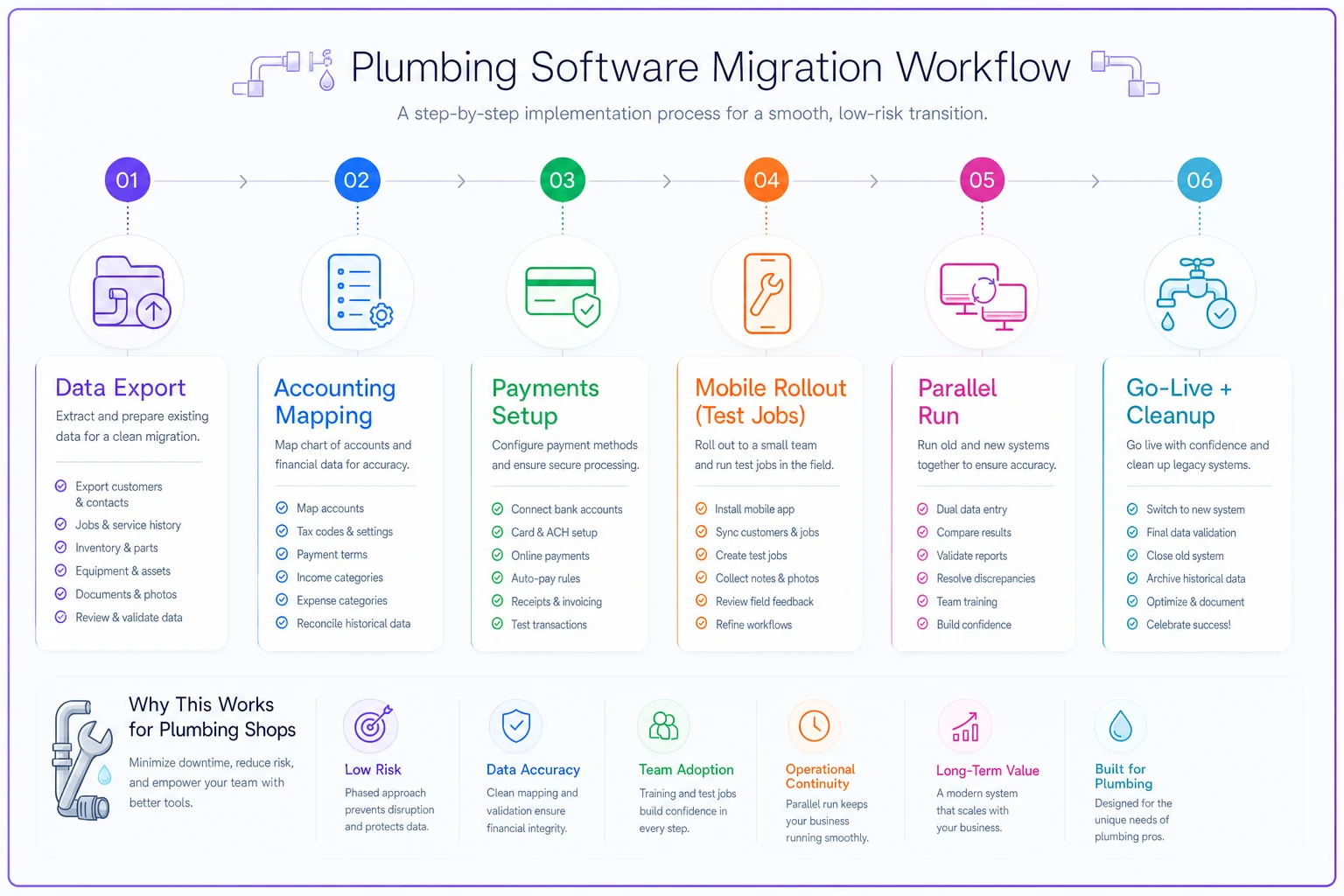
The diagram shows the recommended sequence and who owns each step during the migration.
-
[ ] Data migration. Export customers, job history, and open invoices. Clean the list before importing — garbage in, garbage forever. Watch for duplicate customers.
-
[ ] Accounting mapping. Map your service items, tax rates, and classes to the new system before go-live. Test with 5 dummy invoices.
-
[ ] Payments setup. Confirm card-on-file migrates (or warn customers it won't).
-
[ ] Mobile rollout. Get techs on the app a week early with a few test jobs. Field adoption is the whole game.
-
[ ] Training. One session for office, one for field. Record them. Turnover means you'll re-train.
-
[ ] Parallel run. For 1–2 weeks, run old and new in parallel on a subset of jobs so nothing critical slips.
-
[ ] Go-live + cleanup week. Expect a messy first week. Budget time for it.
Realistic timeline: 2–3 weeks for a solo-to-4-truck shop; 4–8 weeks for 5–10 trucks with heavier migration.
ROI metrics to track (so you know if it actually worked)
Don't judge the software by how it feels. Track the numbers that actually tell you something:
-
A/R days — how fast you get paid. Should drop within 60 days.
-
Invoices sent same-day — the % of jobs invoiced before the tech leaves the driveway.
-
Office admin hours/week — the re-keying and chasing time you're trying to eliminate.
-
Drive time per job — if you added routing or GPS.
-
Repeat-customer revenue % — if you added a CRM.
-
First-time-fix rate — better job history on the mobile app usually nudges this up.
Most shops see movement in A/R days and admin hours first — those show up fast. The repeat-customer and fix-rate numbers take a quarter or two to become meaningful. If three of these don't move in the first 90 days, something's misconfigured — not necessarily the wrong software, but worth digging into before you blame the platform.
Vendor-selection checklist
Before you sign anything, pressure-test the vendor on:
-
Integration readiness — Ask for a live demo of the QuickBooks sync with classes and items, not a slide deck.
-
Support — Phone or chat? What hours? US-based? How fast do they respond when a tool goes down during business hours?
-
Mobile UX — Have an actual tech test the app. If it's clunky in a demo, it's worse in a crawlspace.
-
Contract terms — Month-to-month vs. annual lock-in. Data export rights if you leave.
-
Real pricing — Total cost including seats, payment processing, and add-on modules. The sticker price is rarely what you'll actually pay.
Check each of these with a real demo and a real tech on your team before you commit.
Start where you are today, then buy for where you're going
If your immediate problem is scheduling chaos, labor timing, or pricing pressure right now, don't wait on a software purchase to fix it — handle the operational moves first. Our breakdown on the June jobs slowdown and immediate operations moves plumbers should make covers the fast levers you can pull this week on labor, scheduling, and pricing. Stabilize operations there, then come back to this guide when you're ready to commit to a platform.
The right software stack isn't the one with the most features — it's the one that matches your fleet size, syncs cleanly with your accounting, and gets you paid faster without adding systems you'll babysit. Buy for the shop you'll be running in two years, not the one you were running two years ago. And whatever you choose, test the integrations before you sign, because that's the part that quietly decides whether the whole thing actually works.
The right software stack isn't the one with the most features — it's the one that matches your fleet size, syncs cleanly with your accounting, and gets you paid faster without adding systems you'll babysit. Buy for the shop you'll be running in two years, not the one you were running two years ago. And whatever you choose, test the integrations before you sign, because that's the part that quietly decides whether the whole thing actually works.
Ready to optimize your plumbing operations?
Join 500+ plumbing businesses using Plummerly to save time, reduce scheduling errors, and improve customer satisfaction.