
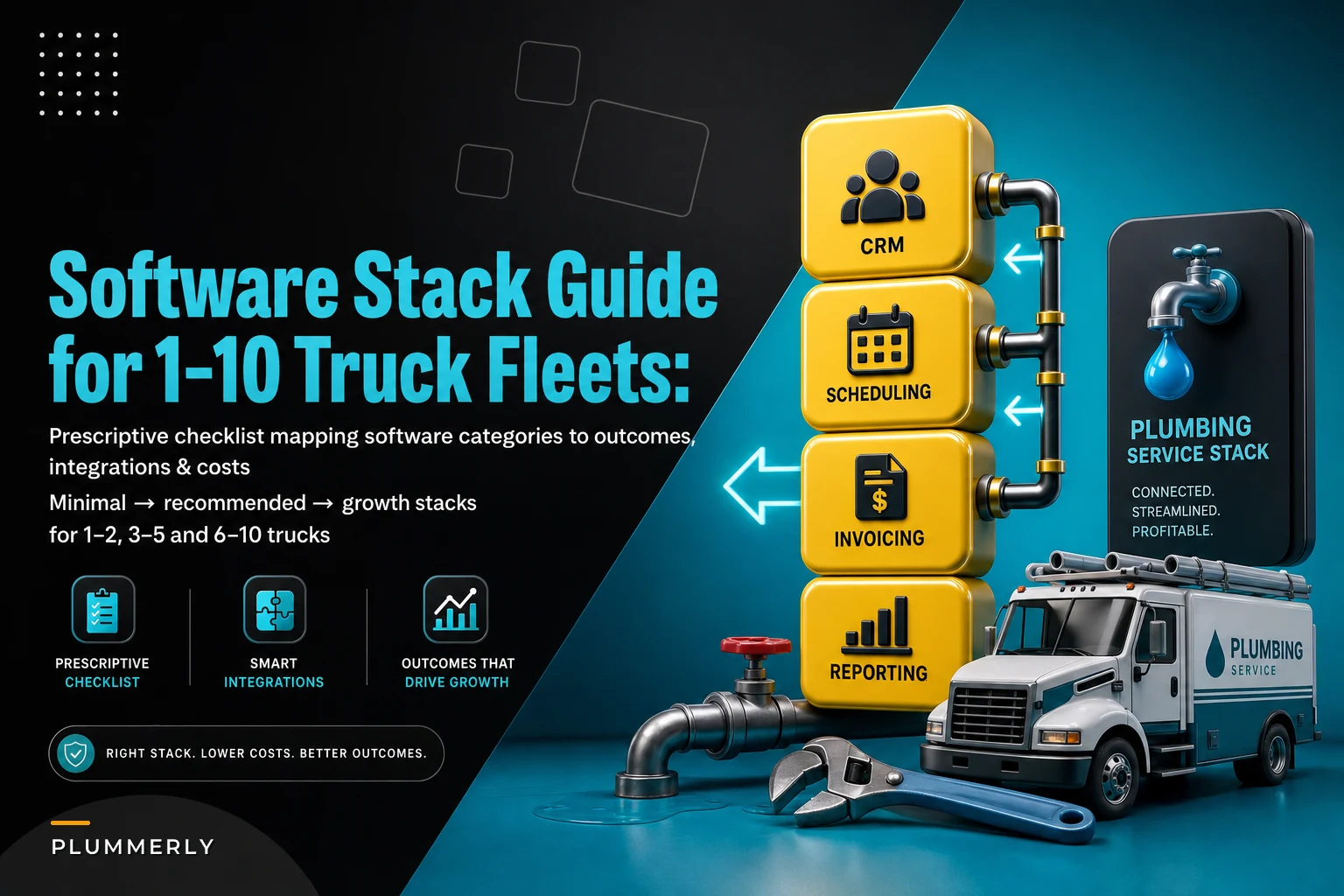

Most plumbing owners don't have a software problem. They have a too many softwares problem. Scheduling lives in one place, invoices in another, the GPS tracker came free with the vehicle wraps, and customer history is split between a notebook, a shared email inbox, and whatever the dispatcher remembers. Every new tool was a reasonable decision at the time. Stacked together, they create double entry, missed follow-ups, and billing that trails actual work by days.
This guide is about picking the right categories — not specific brands — so you can decide what to centralize and what to leave separate. Each software category a 1–10 truck shop should evaluate gets broken down with honest pros and cons, real price ranges, the integrations that actually matter, and minimal vs. recommended setups by fleet size. The guide closes with an implementation checklist you can run without blowing up your current operation.
First, understand what "centralize" actually means
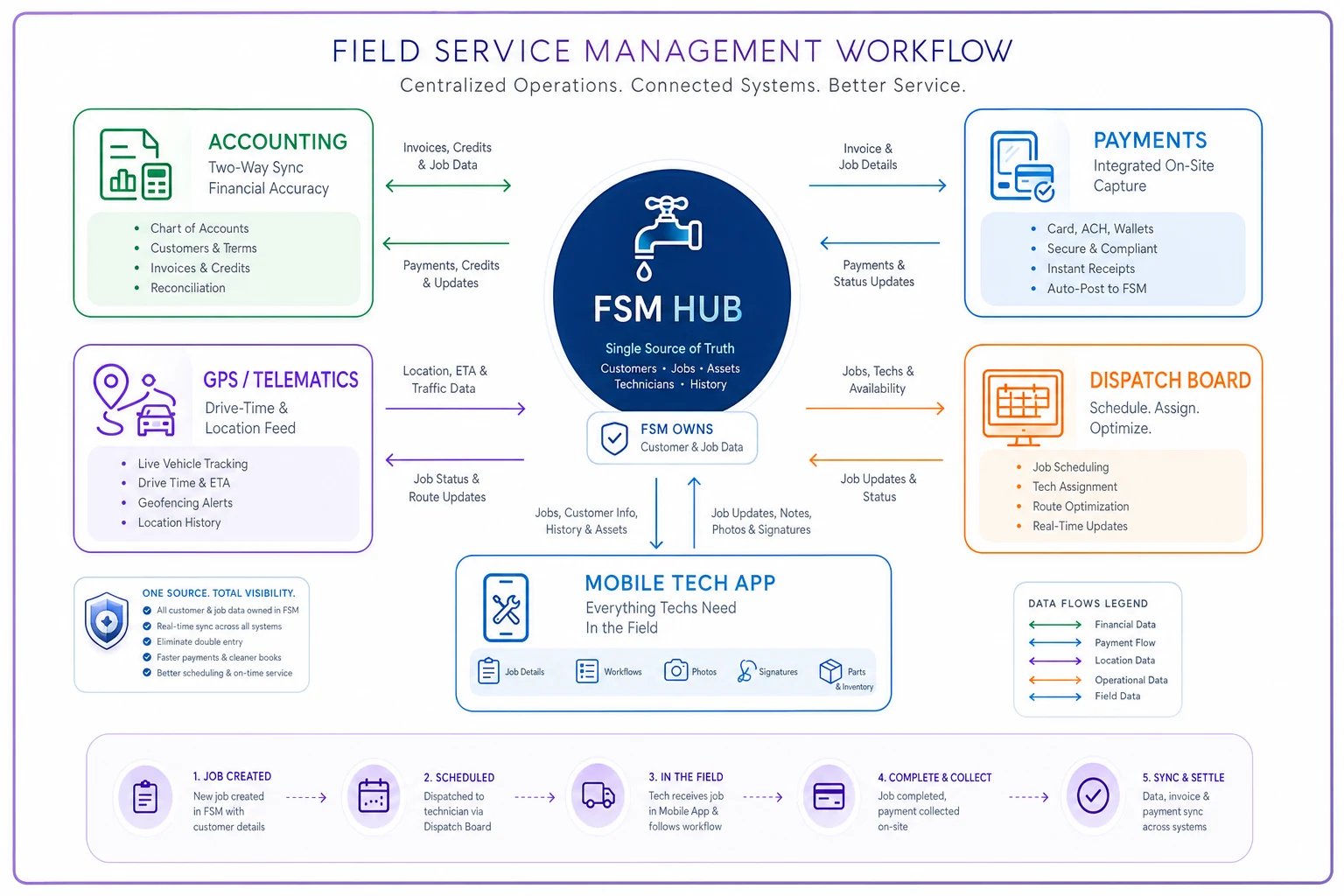
Centralizing doesn't mean one app does everything. It means one system holds the source of truth for each piece of data, and everything else reads from or writes to it.
For most plumbing shops, that source of truth should be the field service management (FSM) platform — the thing that owns jobs, customers, and the schedule. Accounting owns the general ledger. Payments owns the money movement. GPS owns vehicle location. The mistake isn't having multiple tools — it's having two tools that both claim to own the same data, like two systems that each think they own the customer list.
A typical example: a shop runs scheduling in one app and invoicing in QuickBooks. A tech updates the customer's phone number in the scheduler. Nobody updates QuickBooks. Three weeks later the invoice reminder goes to a dead number, and the $480 drain job ages into 60-day A/R. The tools weren't the problem. The ownership was undefined.
The core categories to evaluate
Here's the full set of categories, ranked roughly by how essential they are for a small fleet. Not every shop needs all of them, and some get bundled together inside a single FSM platform.
Stop missing service calls and double bookings.
Plummerly helps you schedule, assign, and manage every plumbing job efficiently.
- Centralized job scheduling
- Technician dispatch & tracking
- Customer notifications
No credit card required
| Category | Core job | Must-have by? | Often bundled into FSM? |
|---|---|---|---|
| Field Service Management | Jobs, scheduling, dispatch, mobile app | 1 truck | — (this IS the hub) |
| Customer Management (CRM) | History, segmentation, follow-up | 2–3 trucks | Usually yes |
| Billing & Invoicing | Quotes, invoices, A/R | 1 truck | Usually yes |
| Payments | Card, ACH, financing | 1 truck | Via integration |
| Accounting | GL, payroll, taxes | 1 truck | No — keep separate |
| GPS / Telematics | Vehicle location, routing data | 3–5 trucks | Via integration |
| Mapping / Route optimization | Drive-time clustering | 4–6 trucks | Sometimes |
| Inventory / Parts | Truck stock, par levels | 3–5 trucks | Sometimes |
| Reporting / KPIs | Margin, FTF, A/R days | 3–5 trucks | Partially |
The pattern worth noticing: a 1–2 truck shop can run almost everything inside one FSM platform plus accounting. The categories only start splitting out into separate specialized tools once you cross 5–6 trucks and the generic bundled features stop keeping up.
Category 1: Field Service Management (the hub)
This is the one you can't skip. It owns the calendar, the dispatch board, the mobile app your techs carry, and usually the quote-to-invoice flow.
Pros
-
Single place for jobs, customers, and scheduling
-
Mobile app means techs capture notes, photos, and signatures on-site
-
Dispatch board shows who's where, in real time
Cons
-
The bundled CRM and inventory features are usually "good enough," not great
-
Switching platforms later is painful — this is a sticky decision
-
Per-tech pricing adds up fast as you grow
Typical price ranges (per month)
-
Entry
~$50–$120 flat or per-user for basic scheduling + invoicing
-
Mid
~$150–$400 for 3–8 users with dispatch, CRM, and QuickBooks sync
-
Enterprise-ish
~$500–$1,200+ for 10+ users, advanced automation, API access
Required integrations: accounting (two-way QuickBooks or Xero sync), payments, and ideally GPS. If an FSM can't sync both ways with your accounting, treat that as a red flag, not a minor inconvenience.
Here's a simple visual of the FSM-centered workflow.
Config by fleet size
-
1–2 trucks (minimal) FSM + QuickBooks. Skip standalone CRM, GPS, and inventory. Use the built-in features.
-
3–5 trucks (recommended) FSM as hub, two-way accounting sync, payments integrated, GPS feeding drive-time data.
-
6–10 trucks FSM + dedicated reporting, possibly standalone inventory, API access becomes a real requirement.
If an FSM can't sync both ways with your accounting, treat that as a red flag, not a minor inconvenience.
Category 2: Accounting (keep it separate — always)
The single most common bad idea small shops flirt with is trying to replace QuickBooks with their FSM's invoicing module. Don't. Your accountant, your lender, and the IRS all speak accounting software fluently. Your FSM should feed accounting, not replace it.
There's no scenario where running your books inside a field app instead of real accounting software works out cleanly at tax time. Even at one truck, keep them separate.
Price: ~$30–$90/month for small-business accounting; payroll add-ons run another $40–$80 plus per-employee fees.
The integration that matters: the sync between FSM and accounting should move invoices, payments, and customer records — but you need to decide which system owns the customer list. Pick the FSM. Let accounting receive, not create, customers. When both create customers independently, you get duplicate records and reconciliation headaches within a month.
Category 3: Payments
Payments quietly determines your cash flow more than almost anything else in the stack. The question isn't just "can I take a card" — it's how fast money lands and how much friction sits between finishing a job and getting paid.
Pros of integrated payments (through your FSM):
-
Tech collects payment on-site, invoice closes automatically
-
Fewer "I'll mail a check" situations that age into 45-day A/R
-
Card-on-file for maintenance plan renewals
Cons:
-
Processing rates can be higher than a standalone merchant account (watch for 2.9%+ plus per-transaction fees)
-
You're locked into whatever processor the FSM partners with
Price: usually transaction-based — roughly 2.6%–3.5% per card transaction, lower for ACH. Watch for monthly platform fees stacked on top.
Real-world math: on ~$900k annual revenue with most of it on cards, the difference between a 2.6% and a 3.2% effective rate is roughly $5,400 a year. Worth negotiating, but not worth losing sleep over if the integrated option saves your office 10 hours a week in reconciliation.
Config by size: even 1–2 truck shops benefit from on-site card capture. ACH and financing options matter more once you're regularly quoting $5k+ repipe and water-heater jobs — typically the 4+ truck range.
Category 4: GPS / Telematics and Mapping
These two get lumped together but do different jobs. GPS/telematics tells you where the trucks are. Mapping and route tools decide where they should go next.
GPS actually earns its keep around 3–5 trucks, when the dispatcher can no longer hold the whole board in their head. Below that, a phone call answers "where are you?" just fine.
Route optimization usually makes sense at 4–6 trucks and up, when you're running enough same-day jobs across a metro area that drive-time waste becomes a real cost. If your zones are tight and your tech count is low, manual clustering beats paying for optimization software. The savings only show up once the math gets too complex to eyeball.
Pros
-
Verified drive-time and on-site time feed accurate job costing
-
Dispatchers assign the nearest available tech, not the loudest one on the radio
-
Cuts "stuck in traffic" disputes with real timestamps
Cons
-
Hardware + subscription cost per vehicle (~$20–$45/vehicle/month)
-
Techs sometimes bristle at tracking — frame it around fairness and job costing, not surveillance
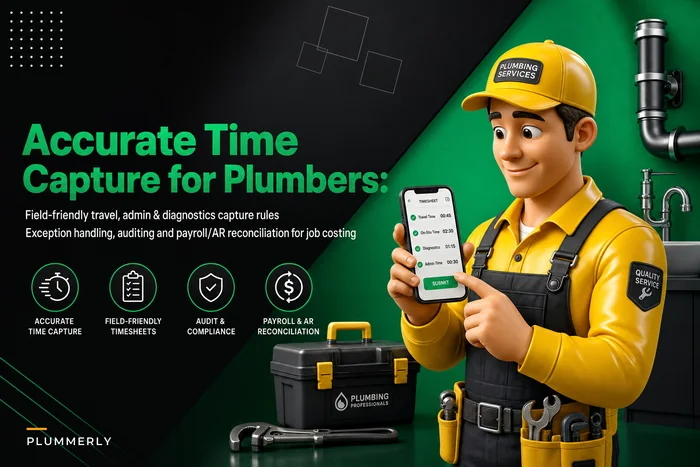
Integration note: the real value shows up when GPS drive-time feeds back into your labor and job-costing numbers. If your time data is sloppy, your margins are guesses. Getting travel, admin, and diagnostic time captured cleanly matters more than the GPS hardware itself — the tracker is only as useful as the rules behind how you log the hours.
Category 5: Inventory / Parts
Most small shops run inventory out of their head and a parts bin until a return trip for a $12 cartridge eats a half-day of billable time. Somewhere around 3–5 trucks, informal stock management stops working.
Minimal setup (1–3 trucks): truck par-level sheet, manual restock. No software needed.
Recommended (4+ trucks): par-level tracking inside the FSM or a connected inventory tool, so parts used on a job decrement from truck stock and flag restocks.
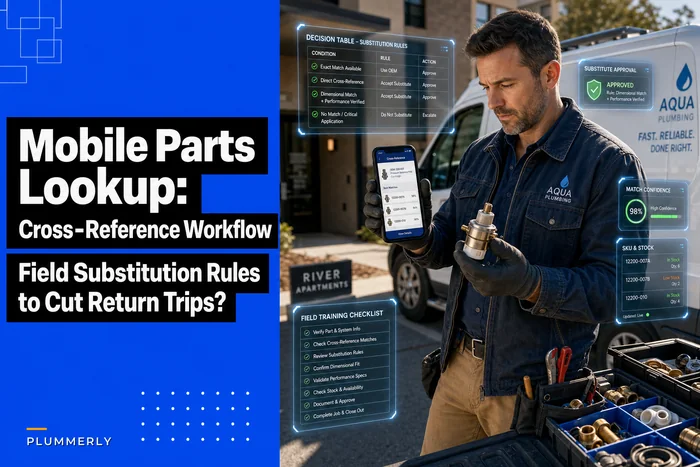
The bigger operational win here isn't tracking counts — it's reducing return trips. A clean mobile parts lookup and cross-reference workflow does more for your first-time-fix rate than a fancy inventory dashboard. Software that tells you what you don't have on the truck, before the tech drives out, is worth more than software that counts what you do.
A realistic scenario: 4-truck shop, three disconnected tools
A residential service shop running four trucks had scheduling in one app, invoicing done manually in QuickBooks each evening by the owner's spouse, and a free GPS app from the insurance provider. Nothing talked to anything.
What that looked like in practice:
-
Invoices went out 2–4 days after job completion because they were batched at night
-
A/R averaged around 40 days
-
The office re-entered customer and job details into QuickBooks by hand — roughly 6–8 hours a week
-
Around 3–4 jobs a month slipped through without an invoice at all, because they fell off the handoff
After consolidating onto a single FSM with two-way QuickBooks sync and integrated payments:
-
Invoices went out same-day, often before the tech left the driveway
-
A/R dropped into the high 20s within about two months
-
The nightly re-entry mostly disappeared
-
Those lost jobs stopped slipping — captured roughly $1,500–$2,500 a month in work that used to leak out
Nothing exotic. The fix was ownership and connection, not more features.
How to think about buying: fit before features
Vendors sell on feature lists. Feature lists don't tell you whether a tool fits a 4-truck plumbing shop or a 40-truck HVAC franchise. Before you demo anything, decide:
-
Which system owns customers and jobs (almost always the FSM)
-
Which two integrations are non-negotiable (accounting + payments, usually)
-
What your dispatcher's daily workflow actually looks like — then test that in the demo, not the sales script
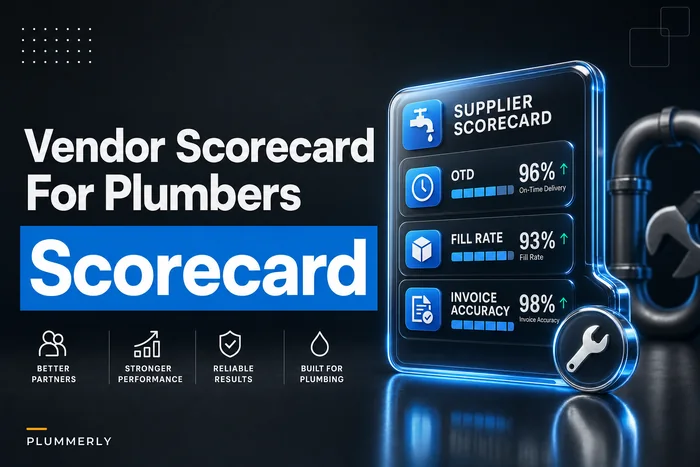
If you're negotiating contracts and comparing vendors seriously, run them through a structured evaluation rather than a gut feel. A vendor scorecard with real KPIs and contract clauses will save you from the month-to-month platform that nickel-and-dimes you on API access and data export the moment you try to leave.
Who should NOT consolidate everything right now
Consolidation isn't always the move. Hold off if:
-
You just signed a 12-month contract on a tool that mostly works — finish it, don't eat the switching cost mid-term
-
Your busy season starts in under six weeks — never migrate during peak
-
Your current data is a mess — clean it before you move it, or you just relocate the chaos
A shop with 200 duplicate customer records and inconsistent job notes shouldn't migrate until that's cleaned up. Garbage in one system becomes garbage in a more expensive system.
Implementation checklist
Run this in order. Don't skip the pilot.
Phase 1 — Decide ownership and priorities
-
Name the single source of truth for customers and jobs
-
List your two non-negotiable integrations (usually accounting + payments)
-
Confirm the FSM syncs two-way with your accounting, not one-way
Phase 2 — Clean the data
-
Deduplicate the customer list before importing anything
-
Standardize how addresses, phone numbers, and job types are formatted
-
Archive dead customers rather than migrating them
-
Reconcile open A/R so it transfers clean
Phase 3 — Pilot, don't big-bang
-
Run one truck or one zone on the new system for 2–3 weeks
-
Keep the old system read-only as a safety net during the pilot
-
Have the dispatcher and one tech run their real daily workflow, not a demo
-
Track one metric that proves it's working (A/R days, same-day invoice %, or re-entry hours saved)
Phase 4 — Roll out and verify
-
Move remaining trucks once the pilot metric holds
-
Confirm every invoice and payment lands correctly in accounting for the first full week
-
Set a 30-day review to catch integration gaps before they calcify
Set a 30-day review to catch integration gaps before they calcify
The bottom line, without the sales pitch
The goal of a plumbing software stack isn't to own the most tools — it's to have one system clearly own your jobs and customers, two or three tightly connected integrations handling money and location, and clean data flowing between them without anyone re-typing it at 9pm.
For a 1–2 truck shop, that's a single FSM plus accounting. For 3–5 trucks, add integrated payments and GPS. By 6–10 trucks, you'll likely split out reporting and inventory into specialized tools and start caring a lot about API access.
Pick the category structure first. Pick the brand second. And whatever you do, define who owns the customer record before you sign anything — because that one decision quietly determines whether your stack saves you time or just gives your chaos a nicer interface.
Pick the category structure first. Pick the brand second. And whatever you do, define who owns the customer record before you sign anything — because that one decision quietly determines whether your stack saves you time or just gives your chaos a nicer interface.
Ready to optimize your plumbing operations?
Join 500+ plumbing businesses using Plummerly to save time, reduce scheduling errors, and improve customer satisfaction.